// read
- Complaints
- 5 patterns
- 2 quotes
SocialCaptain complaints: 5 patterns and how each resolves
By Captain's Log · Checked
The complaints on record fall into five patterns, and the two biggest are extra charges and a service that stopped working; both date from 2019 and 2020, and today’s 14-day refund and cancel terms give you a written way out of either.
There is no fresh record to weigh them against: the Trustpilot profile is marked “temporarily closed”, none of its 280 reviews falls inside the last 12 months, and the only G2 review is from 2019. So this page gives you the 2026 picture rather than a pile of old ratings: each pattern, the quote or source behind it, and what you can do about it under the terms read on Nov 27, 2026. Where the sources are silent on how a complaint ended, we say so.
Short answer
- Billing: a 2020 Trustpilot review reports four extra payments in two weeks. Today the first payment is refundable for 14 days, and renewals are not.
- Service: a 2019 G2 review says the product stopped working overnight and support was removed. A 2020 write-up reports the same.
- Trust: the Trustpilot profile is 94% one-star and marked “temporarily closed”, and two late-2026 write-ups call the service retired.
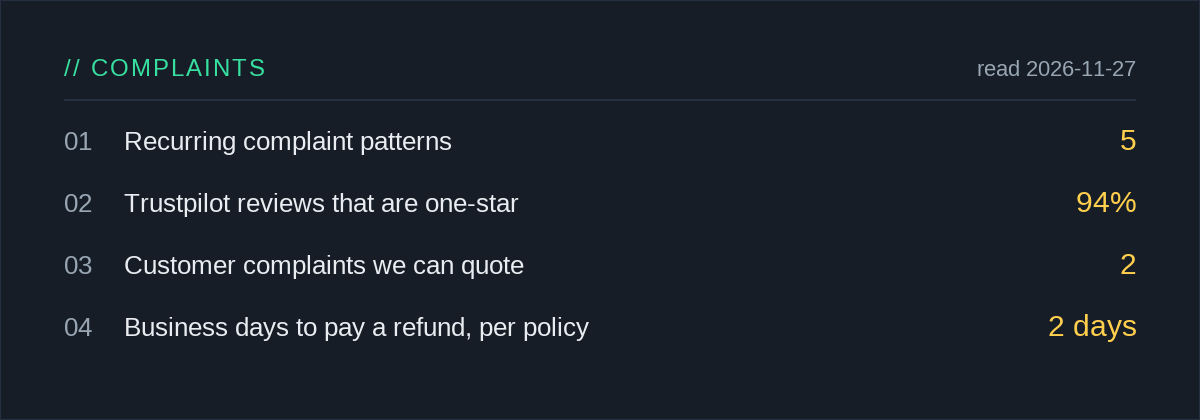
- 5Recurring complaint patterns
- 94%Trustpilot reviews that are one-star
- 2Customer complaints we can quote
- 2 daysBusiness days to pay a refund, per policy
The five complaint patterns, and how each resolves
Here is every pattern in one place. The detail for each follows below, with the exact words of the source wherever we have them.
| Pattern | Source | How it resolves today |
|---|---|---|
| Extra charges | Paul, Trustpilot, Oct 2020 | Refund of the first payment within 14 days; cancel any time to stop renewals. |
| Stopped working | G2, Jun 2019; tool-busters.com, 2020 | Ask for the refund inside 14 days if growth does not start. |
| Stale, closed profile | Trustpilot, read Nov 2026 | Test the service yourself on monthly billing. |
| Retired or no longer sold | Two write-ups, Oct and Nov 2026 | Read the live plan page on the day you buy. |
| Self-published claims | The official site | Treat the numbers as claims and check your own count. |
Pattern 1: extra charges and renewals
This is the complaint with the clearest words behind it, and it is the one to plan for.
“The software worked good, but they took out four extra payments in two weeks.”
Four extra payments in two weeks is a serious billing problem on any subscription. The plans today bill monthly or every 6 months, so four payments in two weeks would be well outside the stated schedule. We have no record of how Paul’s case was resolved.
How it resolves under the 2026 terms. The guarantee reads: “Every plan has a 14-day money-back guarantee.” Inside 14 days of your first payment, you email the support team and the policy promises a refund “in full, no questions asked, within 2 business days.”
Two limits matter. “Renewal payments are not covered.” And the refund policy says: “We do not give a partial refund for the unused days of that period, except under the guarantee.” So the guarantee protects your first payment, and cancelling on time protects you from the next one.
What to do if you see a charge you did not expect
- Write down the date and amount from your bank or card statement.
- Email the support team the same day, with those details and your username, and ask for that payment back.
- If the charge came after you cancelled, attach your cancel confirmation.
- If 2 business days pass with no reply, send a second dated request.
- Keep every message. If the money is not returned, your bank can review the charge with that record.
The support address and a message you can copy are on our refund walk-through. The cancel steps that stop the next renewal are on how to cancel.
Put two dates in your calendar the day you pay: day 14, when the refund window closes, and the end of your billing period, before the first renewal.
Why 6-month billing raises the stakes
Plans bill monthly or every 6 months. The guarantee covers the first payment either way, but after day 14 the rules bite harder on the longer option: there is no partial refund for unused days outside the guarantee.
On monthly billing, a missed decision costs you at most one month. On 6-month billing it locks in the whole block. Given a billing complaint on record and no recent reviews, monthly billing is the safer way to start.
Pattern 2: the service stopped working
The oldest complaint on record is also the bluntest. The only review on G2, from June 2019, gives one star:
“Stopped working overnight and removed all support”
A 2020 write-up on tool-busters.com reports the same thing: the service stopped working. Together they describe a product that went quiet for its users six or seven years ago.
Is the same thing likely now?
We cannot say. The service on sale in 2026 is described as a done-for-you plan, where followers, likes and comments come from real people matched to your niche, country and language, with a username-only login. The sources do not tell us whether it runs on the same system as the 2019 product.
So we do not claim the problem was fixed, and we do not assume it was not. What we can say is that the current terms give a buyer a cheap way to find out.
How it resolves under the 2026 terms
If growth does not start, or stops, inside your first 14 days, you are inside the guarantee. Email for the refund and the policy promises the full first payment back within 2 business days.
If it stops after day 14, cancel at once from your account or by email. The plan will not renew, and it stays active until the end of the period you paid for. The current period is not refunded outside the guarantee.
Signs to watch in your first two weeks
- The count rises day by day, inside the plan’s cap: up to 60 a day on Starter, up to 180 on Pro.
- New followers look like real people in your niche, country and language.
- Support answers a written question within a working day or two.
- Exactly one payment shows on your statement.
If two of these fail by day 12, ask for the refund then, not on day 14. That leaves room for a second request if the first goes unanswered.
Support complaints: what the terms promise now
The G2 review says support was removed. The 2026 plans each name a support level: standard support on Starter, and priority support plus a weekly strategy review on Pro. The refund policy also sets a time limit on the team, since a refund is promised within 2 business days.
Those are written promises, and written promises are what you can hold a service to. Test them early: send one simple question to support in your first few days and note how long the answer takes. A slow reply in week one is a reason to claim the refund while you still can.
Not an automation tool, so no settings to blame
With Instagram automation tools, the buyer sets the rules and the software acts on the account, so a stall can come from the settings. This is a done-for-you service, so if nothing happens there are no settings on your side to check. The question goes straight to support, in writing.
Patterns 3 to 5: the record, the write-ups and the claims
Pattern 3: a stale record and a closed profile
Trustpilot shows a score of 1.2 from 280 reviews, 94% one-star, with none inside the last 12 months. The profile says “temporarily closed”, and replies there are signed by Nitreo, with a note that it was formerly this brand.
The complaint here is not one buyer’s story. It is that nobody recent can tell you how the service behaves. Our Trustpilot record covers what the profile shows and what it leaves out.
How it resolves: you cannot fix someone else’s profile, but you can stop relying on it. Pay monthly, test the first two weeks yourself, and keep the refund date in view.
Pattern 4: write-ups that say it is retired
Two write-ups from late 2026 say the service is gone. Reviewsencyclopedia.com, on Nov 23, 2026, lists it as “No longer sold”, rated 1.2. Virallizedreviews.com, on Oct 25, 2026, calls it “retired”.
The official pricing page, read on Nov 27, 2026, lists two plans, four add-ons, a refund guarantee and cancel terms. One side is out of date. How it resolves: read the live plan page on the day you buy, and ask support in writing whether new customers are being taken.
Scam framing and promotional framing
Two older write-ups pull in opposite directions. Startmakestopwaste.com frames the service as a possible scam. Duwama.com is promotional. Neither is dated, and neither gives a recent customer case we can quote. A page that only praises and a page that only warns both tell you more about their authors than about your first two weeks with the service.
Read both as opinion. The usual signs of a scam in this market are a password request, no refund and no way to cancel. None of those applies to the terms we read: the login is username only, the refund is written down, and you can cancel from the account or by email.
Pattern 5: numbers only the company publishes
The site shows a 4.9 out of 5 rating, 42,800 accounts in 44 countries, 84.9 million followers gained and 96.4% of followers kept after 90 days. The kept figure reads 97% elsewhere on the same site.
The mismatch is small but telling, and the 4.9 sits 3.7 points above the Trustpilot score of 1.2. No outside source we read backs any of these numbers. How it resolves: treat them as claims, and check your own follower count a month after your plan ends.
Build your own record as you go
Because the public record is old, your own notes may be the most useful evidence you have if something goes wrong. Keep the payment dates, the follower count each day for the first two weeks, every support email, and any cancel confirmation.
It takes a few minutes a day, and it turns a complaint from “it did not work” into dates and numbers that support, or your bank, can act on.
How these patterns feed the score
In the desk score, complaint record weighs 20% and scores 1 out of 5, because most public ratings are one-star and the billing complaint on record has no public fix. Review evidence weighs 30% and also scores 1. The terms pull the total back to 2.5. The rules are on how we score, and the full picture is on the main review.
The same five patterns are worth checking on any Instagram growth service or TikTok growth service you compare it with. The alternatives page lists seven, with the questions to put to each.
SocialCaptain complaints: 8 questions answered
What are the most common SocialCaptain complaints?
Extra charges and a service that stopped working, both from 2019 and 2020. Behind them sit a 94% one-star Trustpilot profile, write-ups calling it retired, and self-published numbers that do not match.
Has anyone complained in the last 12 months?
Not on any profile we read. Trustpilot has no review inside the last 12 months, and the only G2 review is from 2019.
How do I complain about a charge?
Email the support team the same day with the date, amount and your username, and ask for the payment back. Send a second dated request if 2 business days pass with no reply.
Will I get my money back?
Inside 14 days of your first payment, the policy promises a full refund within 2 business days. Renewal payments are not covered.
Was the extra-charge complaint resolved?
We have no record of how it was resolved. The review is from October 2020 and its star rating is not shown.
Is there a BBB complaint record?
No. We found no BBB profile for the service.
Do the complaints mean it is a scam?
Not on the terms we read. There is a refund, a way to cancel and no password request. The complaints are old, and the risk is that nothing recent confirms the service delivers.
Where can I read the complaints myself?
On the Trustpilot and G2 profiles, linked from our Trustpilot record, and in the five write-ups listed above.
SocialCaptain complaints aside: read the live terms
Every pattern on this page has the same answer: know the refund date, cancel before a renewal, and keep it in writing. The live terms are short.
Read the refund termsPage log
- Page published. Quotes taken from Trustpilot and G2; five third-party write-ups read; refund and cancel wording read on the official pages.